Labs / Mobile Hacking Labs
MHL Strings Lab Writeup
The Strings lab app (com.mobilehackinglab.challenge) holds a flag that its Java code never builds or stores. Four gates guard a single call into a native library, and each gate produces the same symptom when it fails: the activity opens, kills the process with finishAffinity() and System.exit(0), and the app closes. When every check passes, the app loads libflag.so, calls getflag(), and shows the result in a Toast.
Two Activities and a Native Library
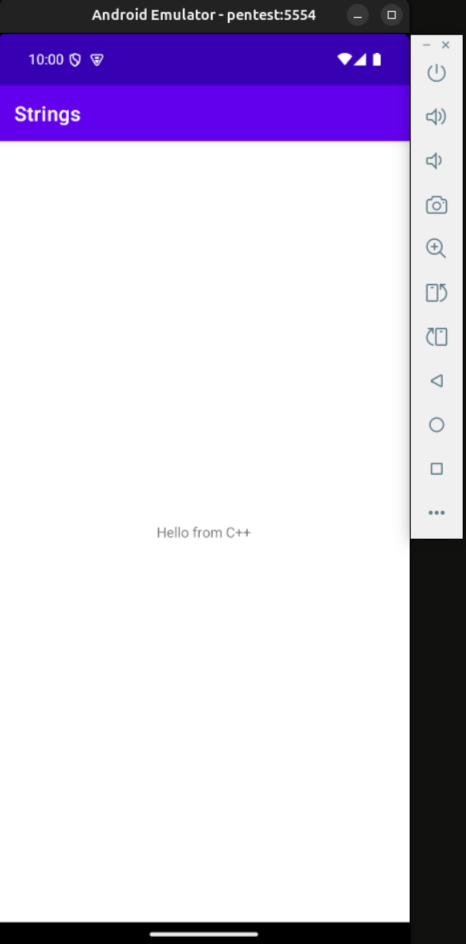
MainActivity does one thing on screen: it calls stringFromJNI() from libchallenge.so and puts the returned text in a TextView. It also contains a second method, KLOW(), which writes today’s date into SharedPreferences. Nothing in the app calls KLOW(). The decompiled MainActivity shows the method body, and a grep across the source tree finds no call site. The layout activity_main.xml contains only a TextView, so there is no button to tap either.
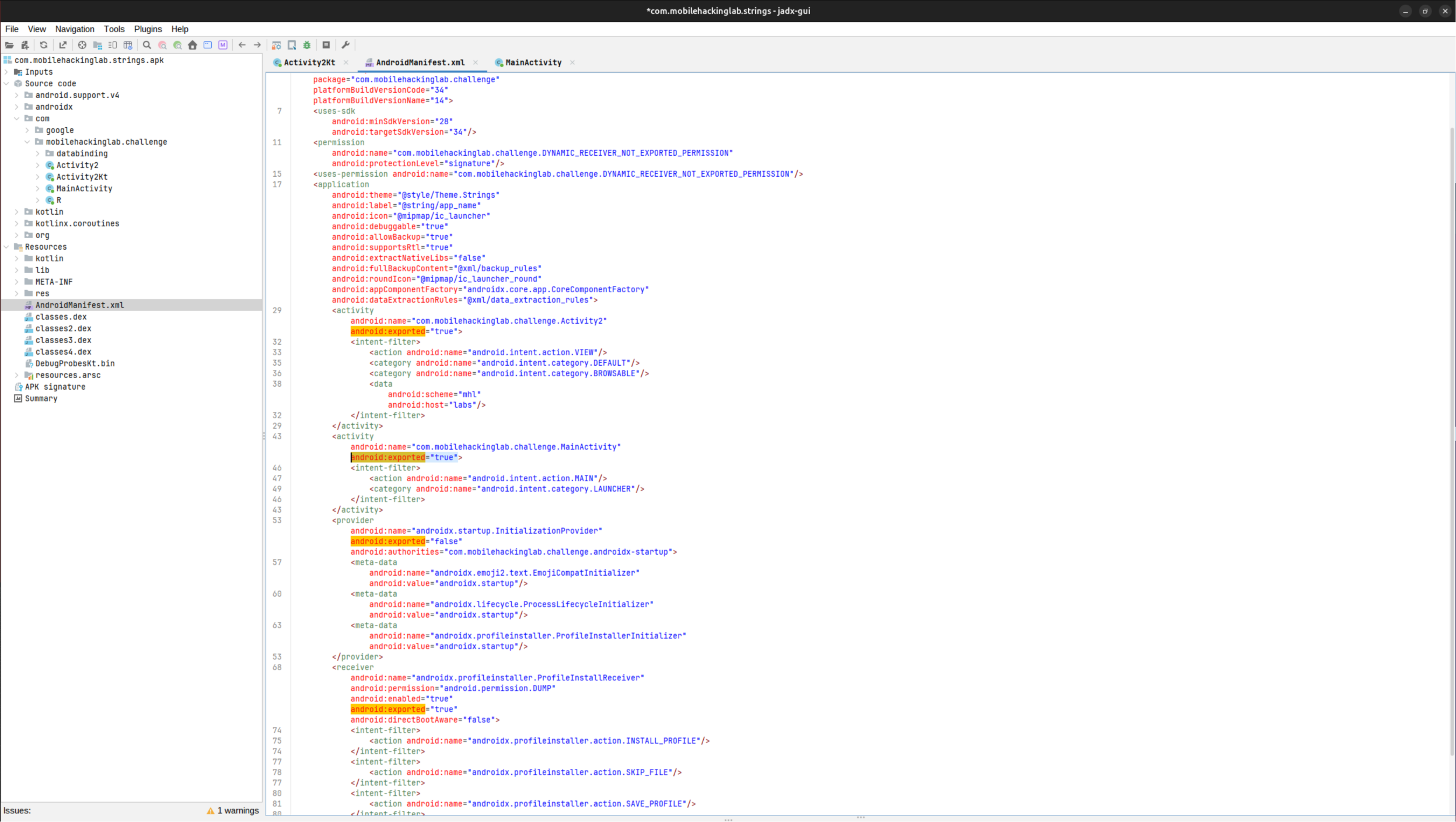
Activity2 is the exported half. The manifest gives it an intent filter with android.intent.action.VIEW, the DEFAULT and BROWSABLE categories, and a data declaration of scheme mhl and host labs. Exported plus a VIEW filter means any app on the device, or adb itself, can start it with a crafted URI. The manifest also declares android:debuggable="true", which is what allows the run-as route later in this write-up.
The Four Checks in onCreate
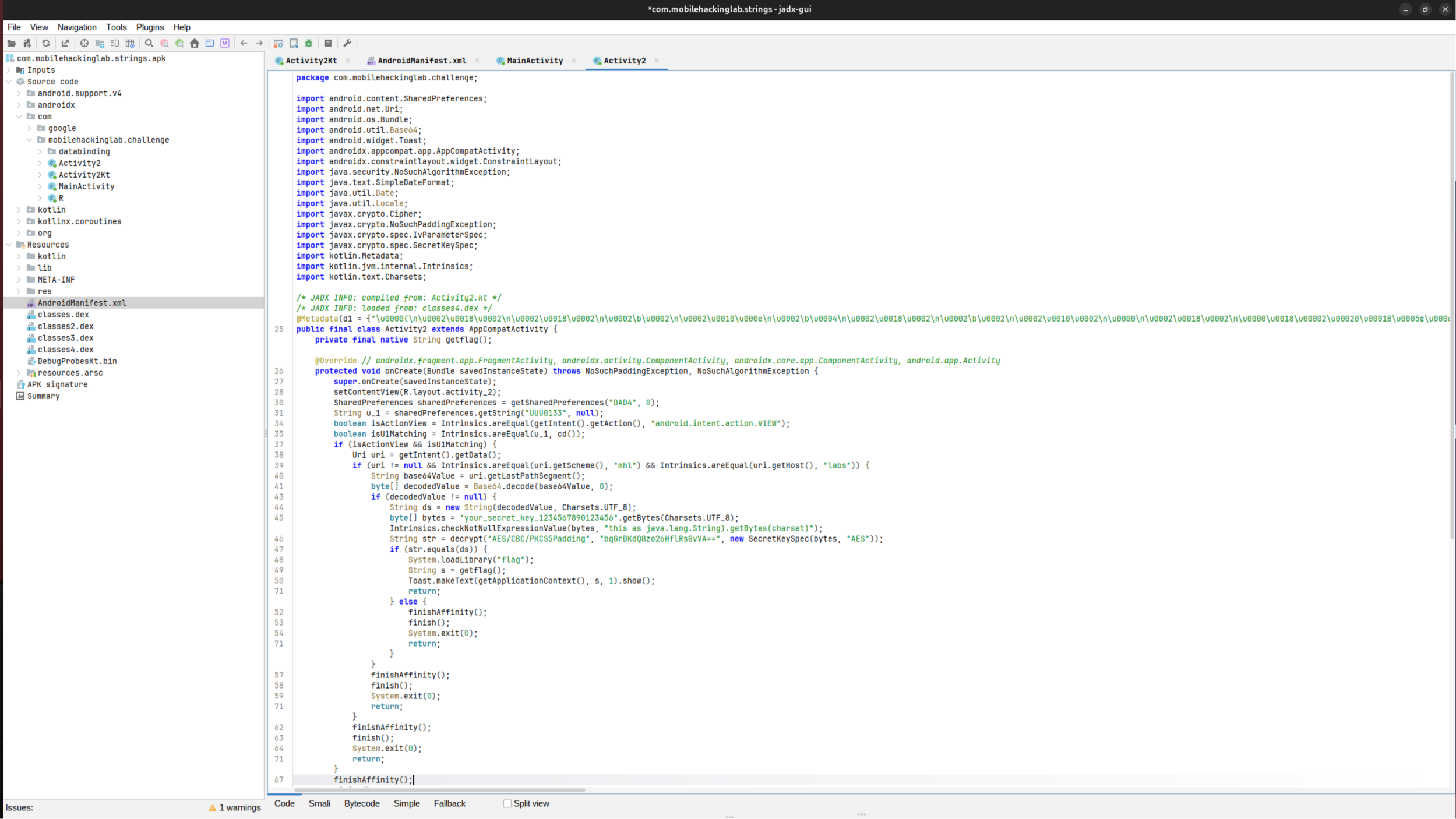
Activity2.onCreate() runs all of its logic before drawing anything, and every branch ends in the same exit path:
| Check | Source | Passing value |
|---|---|---|
Action equals android.intent.action.VIEW | the launching intent’s action | VIEW |
Data URI has scheme mhl and host labs | the launching intent’s data | mhl://labs/<segment> |
u_1 equals today’s date | SharedPreferences file DAD4, key UUU0133 | today in dd/MM/yyyy form |
ds equals the decrypted ciphertext | the URI’s last path segment | Base64 of the AES plaintext |
u_1 comes from getSharedPreferences("DAD4", 0).getString("UUU0133", null), and the date is produced by SimpleDateFormat("dd/MM/yyyy") on the device’s current time. ds is the Base64-decoded last path segment of the URI. If any check fails, the app closes with no error. If all four pass, the code reaches:
System.loadLibrary("flag");
String s = getflag();
Toast.makeText(getApplicationContext(), s, 1).show();
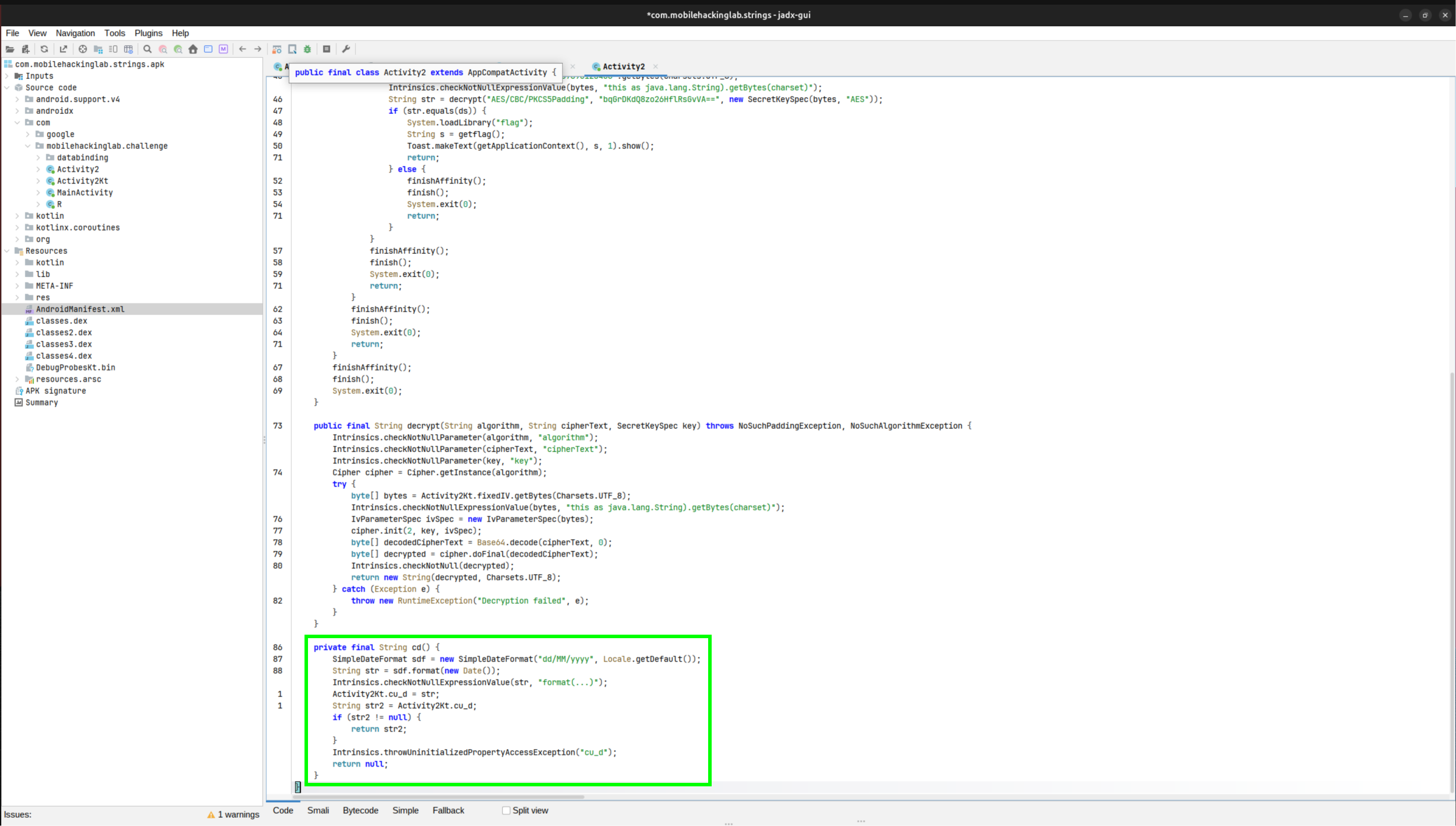
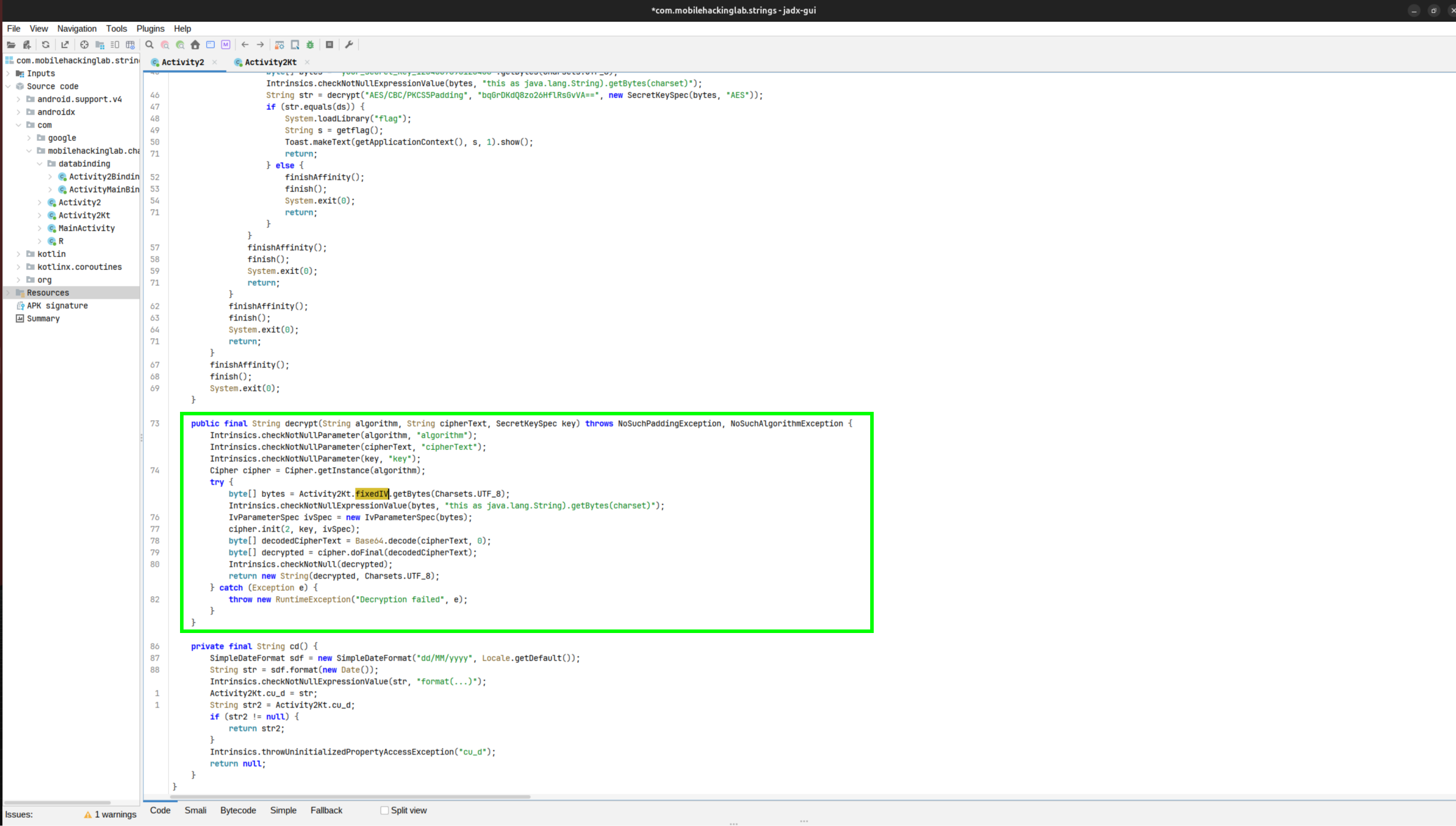
The date check fails on the first run of the lab: no reachable code writes that preference. Below decrypt(), jadx renders cd(), the method that produces the comparison date:
Recovering the Expected URI Segment
The decrypt() call in onCreate shows three of the four inputs: the algorithm, the ciphertext, and the key.
- Algorithm:
AES/CBC/PKCS5Padding - Ciphertext:
bqGrDKdQ8zo26HflRsGvVA== - Key:
your_secret_key_1234567890123456, a 32-byte ASCII string, so AES-256
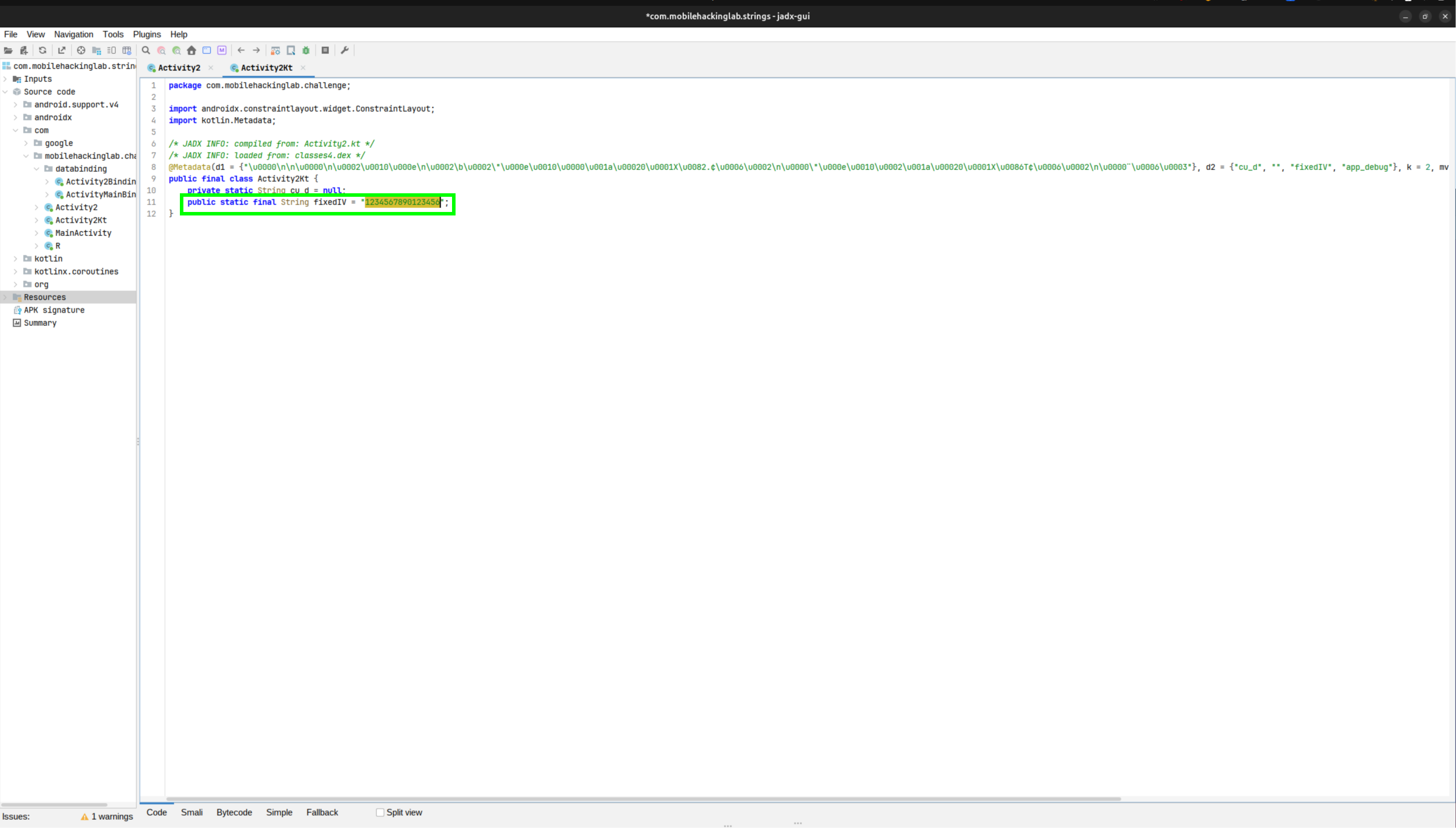
The IV is not in the pasted Activity2 source. It is defined in Activity2Kt, the class Kotlin generates for top-level properties, as fixedIV. Open Activity2Kt in the jadx tree, or read the string pool of the dex (Dalvik Executable, the compiled bytecode inside an APK) directly:
unzip -o com.mobilehackinglab.strings.apk -d apk_out
strings apk_out/classes4.dex | grep your_secret_key
The dex stores hardcoded strings as plain text, so 1234567890123456 sits next to the key. A 16-character ASCII string next to an AES key is the IV.
The decryption is standard AES-256-CBC, so openssl does it without a script:
echo 'bqGrDKdQ8zo26HflRsGvVA==' | base64 -d | openssl enc -d -aes-256-cbc \
  -K $(printf 'your_secret_key_1234567890123456' | xxd -p -c 64) \
  -iv $(printf '1234567890123456' | xxd -p -c 64)
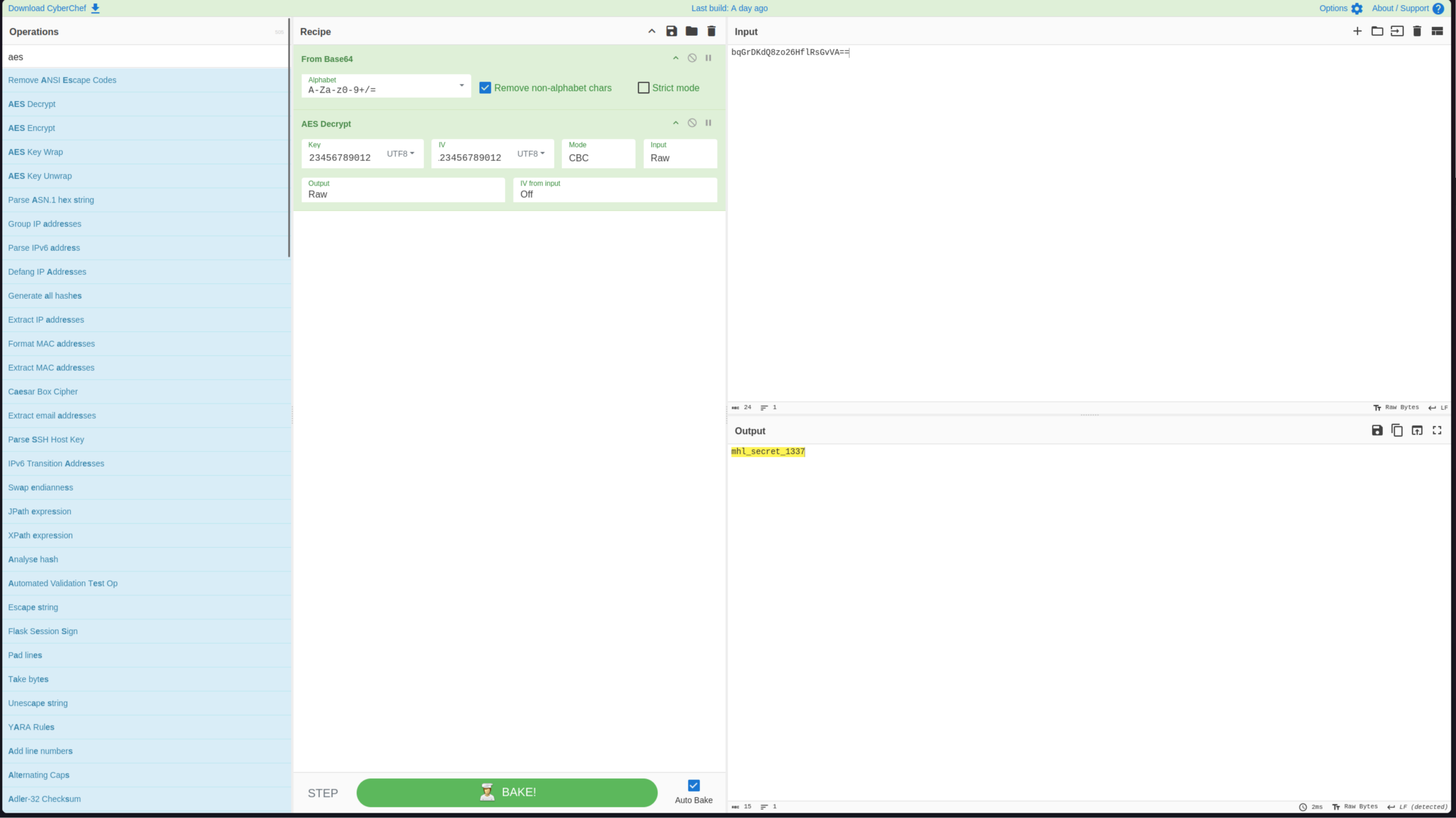
This prints mhl_secret_1337. CyberChef does the same job in a GUI, with From Base64 followed by AES Decrypt and the key and IV set as UTF8:
The URI segment is the Base64 of that plaintext, because onCreate Base64-decodes the segment before comparing it:
echo -n 'mhl_secret_1337' | base64
# bWhsX3NlY3JldF8xMzM3
The Preference Nothing Writes
Activity2 reads DAD4/UUU0133 and compares the stored value to the current date, and MainActivity.KLOW() is the only writer. With no call site, a fresh install always fails the check. The app is built debuggable, which changes the options:
- Write the file directly:
run-asexecutes commands as the app’s uid, the Linux user the app runs as, so theshared_prefsfile can be created fromadband is owned by the app already, with nochownneeded. - Frida: attach to the running app and invoke
KLOW()on the liveMainActivityinstance. It builds the pref with the device’s live date, so there is no format guessing.
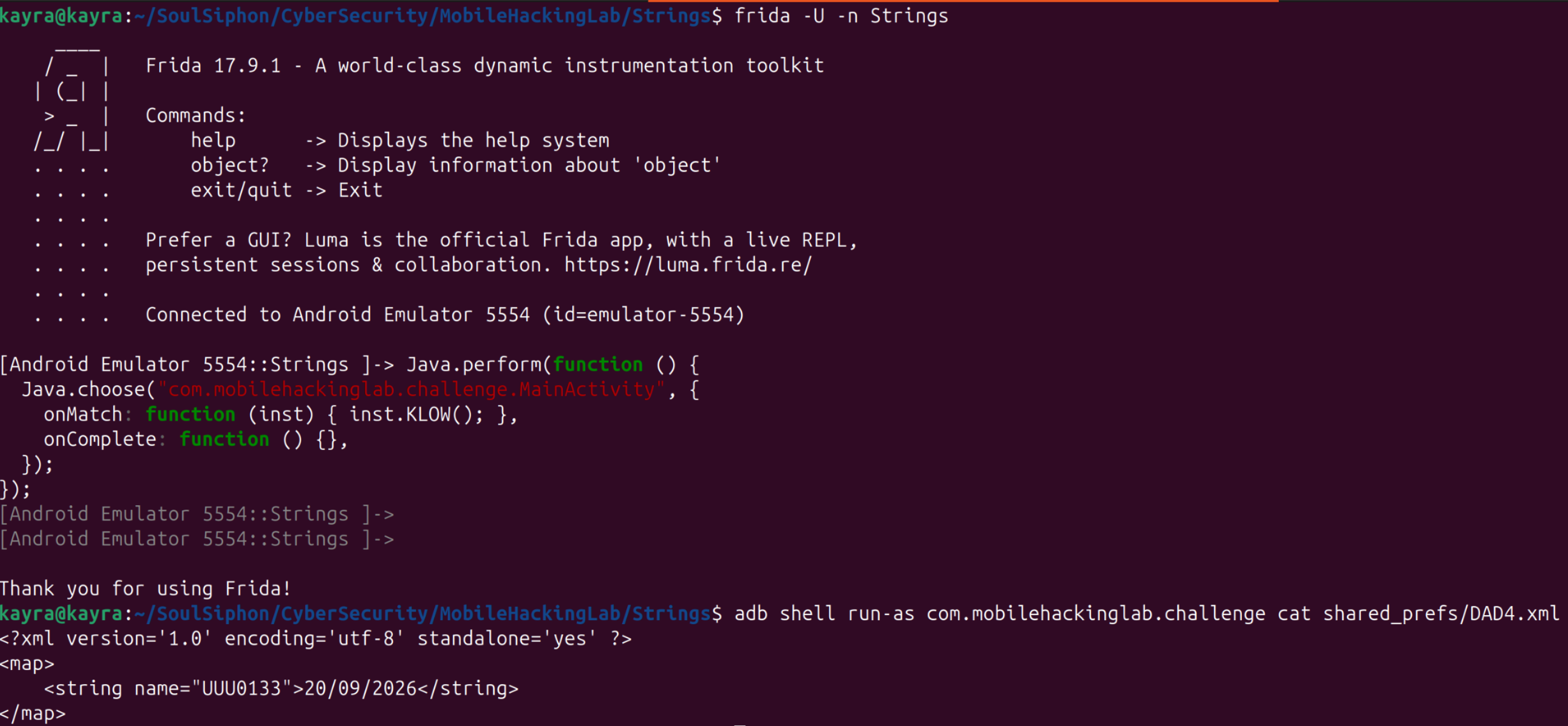
The Frida route is one call on the live instance:
Java.perform(function () {
  Java.choose("com.mobilehackinglab.challenge.MainActivity", {
    onMatch: function (inst) { inst.KLOW(); },
    onComplete: function () {},
  });
});
The app has to be running for the attach to find anything (open it from the launcher first), and MainActivity has to exist in the heap, which a normal launch guarantees. Attach with frida -U -n Strings: the -n flag matches the name frida-ps -U prints, and that lists Android apps by label, not by package identifier, so the target is Strings here rather than com.mobilehackinglab.challenge. Run the snippet, and the pref file appears with the current date:
The Frida note covers attaching and calling app methods directly in full, including why a $new() copy will not do here.
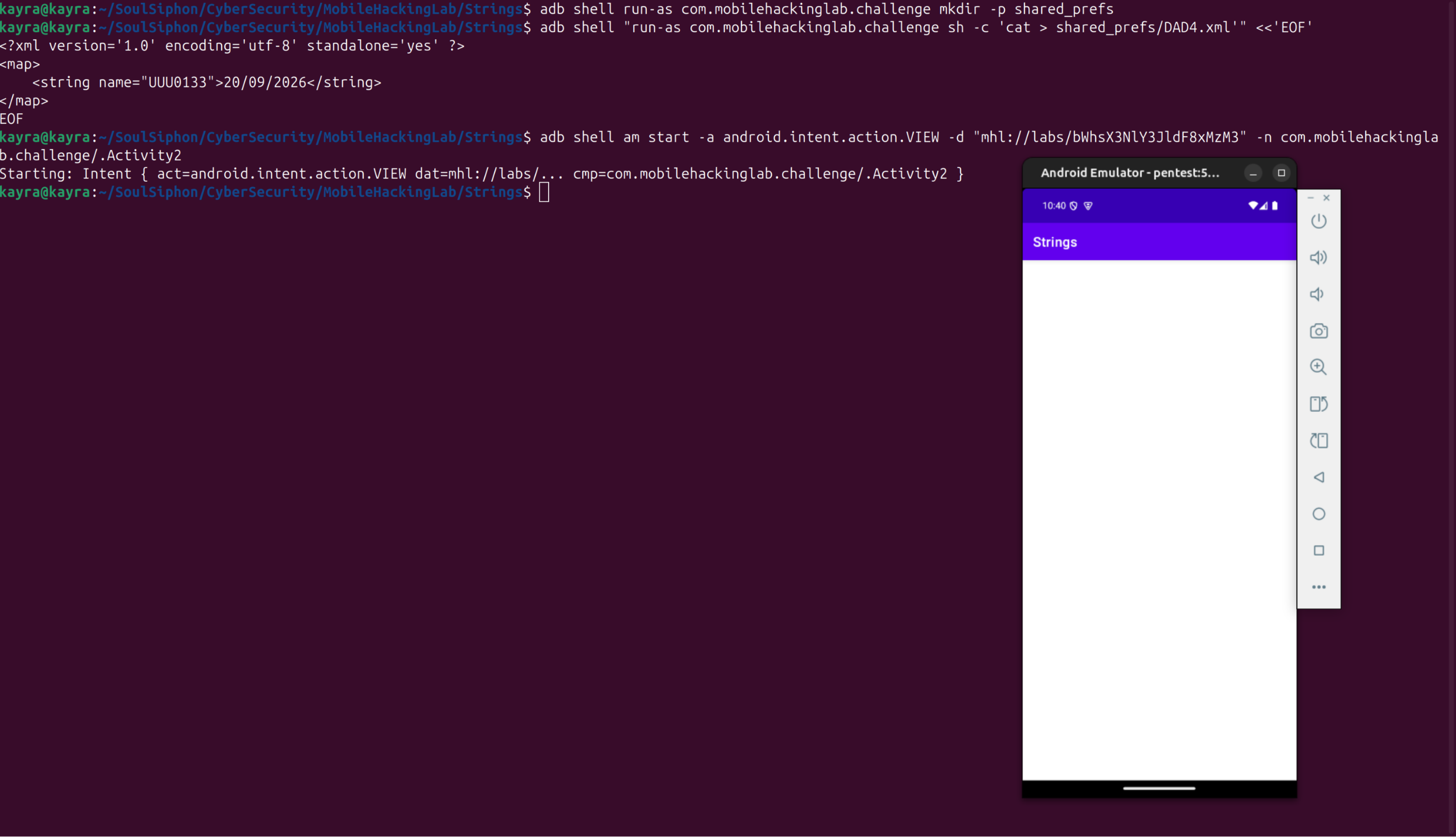
The direct file write needs three details to work. Android deletes the empty shared_prefs directory, so create it first. The date has to be the device’s date at launch time, and adb shell date +%d/%m/%Y prints it. And the whole remote command must be double-quoted:
adb shell am force-stop com.mobilehackinglab.challenge
adb shell run-as com.mobilehackinglab.challenge mkdir -p shared_prefs
adb shell "run-as com.mobilehackinglab.challenge sh -c 'cat > shared_prefs/DAD4.xml'" <<'EOF'
<?xml version='1.0' encoding='utf-8' standalone='yes' ?>
<map>
    <string name="UUU0133">20/09/2026</string>
</map>
EOF
adb shell run-as com.mobilehackinglab.challenge cat shared_prefs/DAD4.xml
The double quotes change what the device shell sees. Without them, adb shell receives the arguments joined with spaces, and the device shell parses run-as pkg sh -c cat > shared_prefs/DAD4.xml. The redirect then runs as the shell user with / as the working directory, outside the app sandbox, and fails with No such file or directory even though the directory exists. With the quotes intact, sh -c handles the redirect inside the sandbox.

Triggering the Exported Activity
am start -n alone launches with the default MAIN action and no data, which fails the first check. The activity needs the action and the data URI, with the Base64 payload as the path segment after the host:
adb shell am start -a android.intent.action.VIEW \
  -d "mhl://labs/bWhsX3NlY3JldF8xMzM3" \
  -n com.mobilehackinglab.challenge/.Activity2
The manifest’s BROWSABLE category means the same URI also works from a browser link, which is how the check would pass in the intended flow.
The Decoy Return
With all four checks satisfied, the activity stays open and shows a Toast. The Toast reads Success, which is getflag()’s return value. To see it at the source, trace the method (the Frida note shows the pattern):
Java.perform(function () {
  var A2 = Java.use("com.mobilehackinglab.challenge.Activity2");
  A2.getflag.implementation = function () {
    var r = this.getflag();
    console.log("[+] getflag() -> " + r);
    return r;
  };
});
Save the snippet as hook.js, spawn the app with it, and fire the deep-link intent from a second terminal:
frida -U -f com.mobilehackinglab.challenge -l hook.js
adb shell am start -a android.intent.action.VIEW \
  -d "mhl://labs/bWhsX3NlY3JldF8xMzM3" \
  -n com.mobilehackinglab.challenge/.Activity2
The hook prints the return value:
[+] getflag() -> Success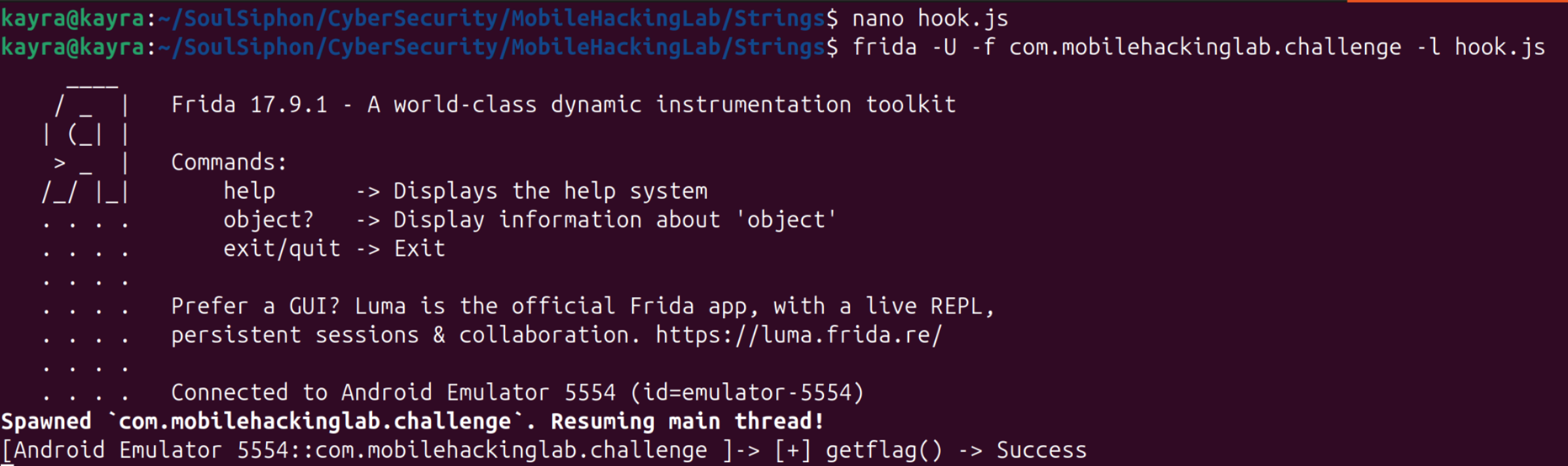
Success is a decoy. The flag never reaches the return value; it exists only in the process’s memory once getflag() has run. Invoking the method once is enough: from that state, the dump and grep in the next section finish the lab, with no further intent calls.
Dumping the Flag from Memory
The memory work needs frida-server on the emulator. The Frida note covers the full install: the server version must match the host frida CLI, the build must match the device ABI, and the server runs over adb as root.
Then run the lab into its success state, attach objection, and dump:
adb shell am start -a android.intent.action.VIEW \
  -d "mhl://labs/bWhsX3NlY3JldF8xMzM3" \
  -n com.mobilehackinglab.challenge/.Activity2
objection --gadget com.mobilehackinglab.challenge explore
Inside the objection prompt:
memory dump all mhl_dumpThe dump writes every readable read-write region to a file named by the argument. On this emulator that is 609 regions totalling 2.0 GiB, so it takes a moment. Back on the host, strings finds the flag:
strings mhl_dump | grep -a 'MHL{'MHL{IN_THE_MEMORY}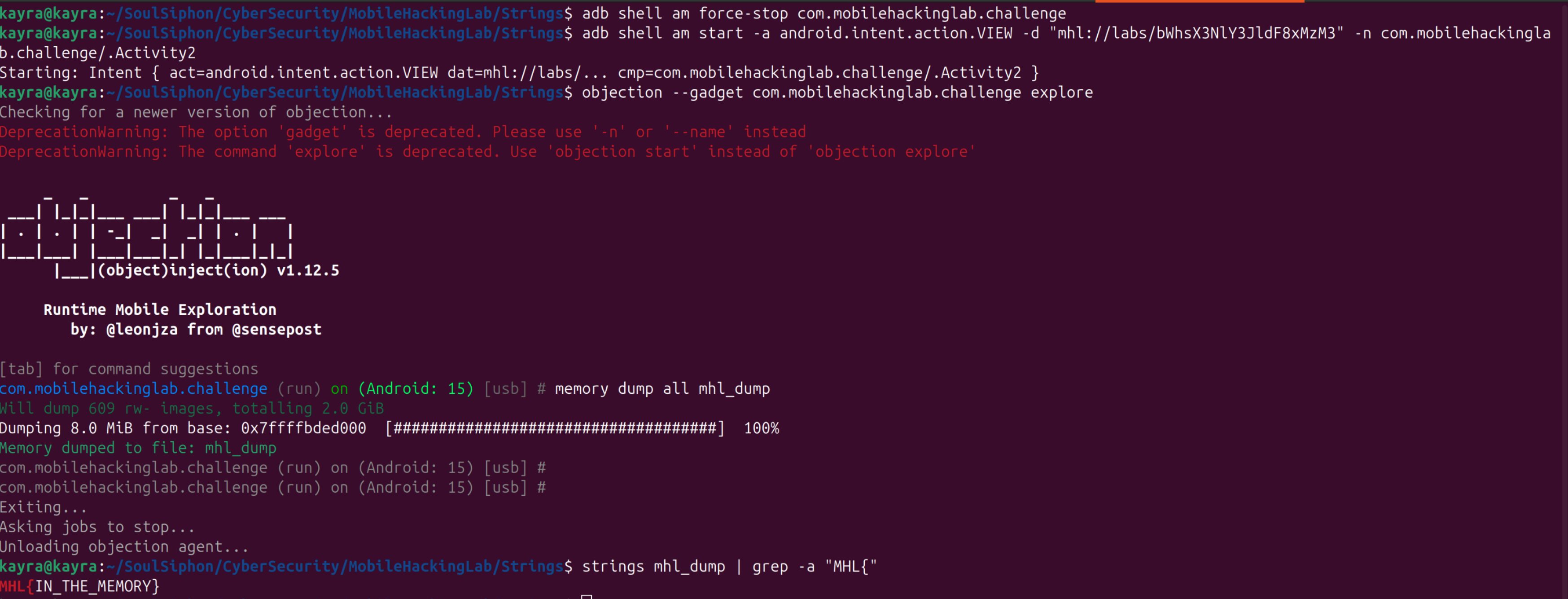
Note: recent objection releases print deprecation warnings for
--gadgetandexplore; the warning names the replacements (-n,objection start). The command above still works.